Building This Blog: Hugo + Azure Static Web Apps
Table of Contents
Every homelab journey needs a place to live. Mine starts here.
I recently picked up three mini PCs — each running an AMD Ryzen 7430U with 32GB of RAM and a 512GB SSD — with the goal of building a proper Kubernetes cluster at home. The real appeal of owning the hardware is the freedom it gives you: instead of following a training, you can just try things out, break stuff, and learn from it. That hands-on freedom is what makes this worth doing. I want to learn, self-host things I actually use, and document the whole thing so others can follow along (or at least avoid my mistakes).
Before I start flashing Talos Linux and configuring PXE boots, I figured I needed somewhere to write things down. So: this blog.
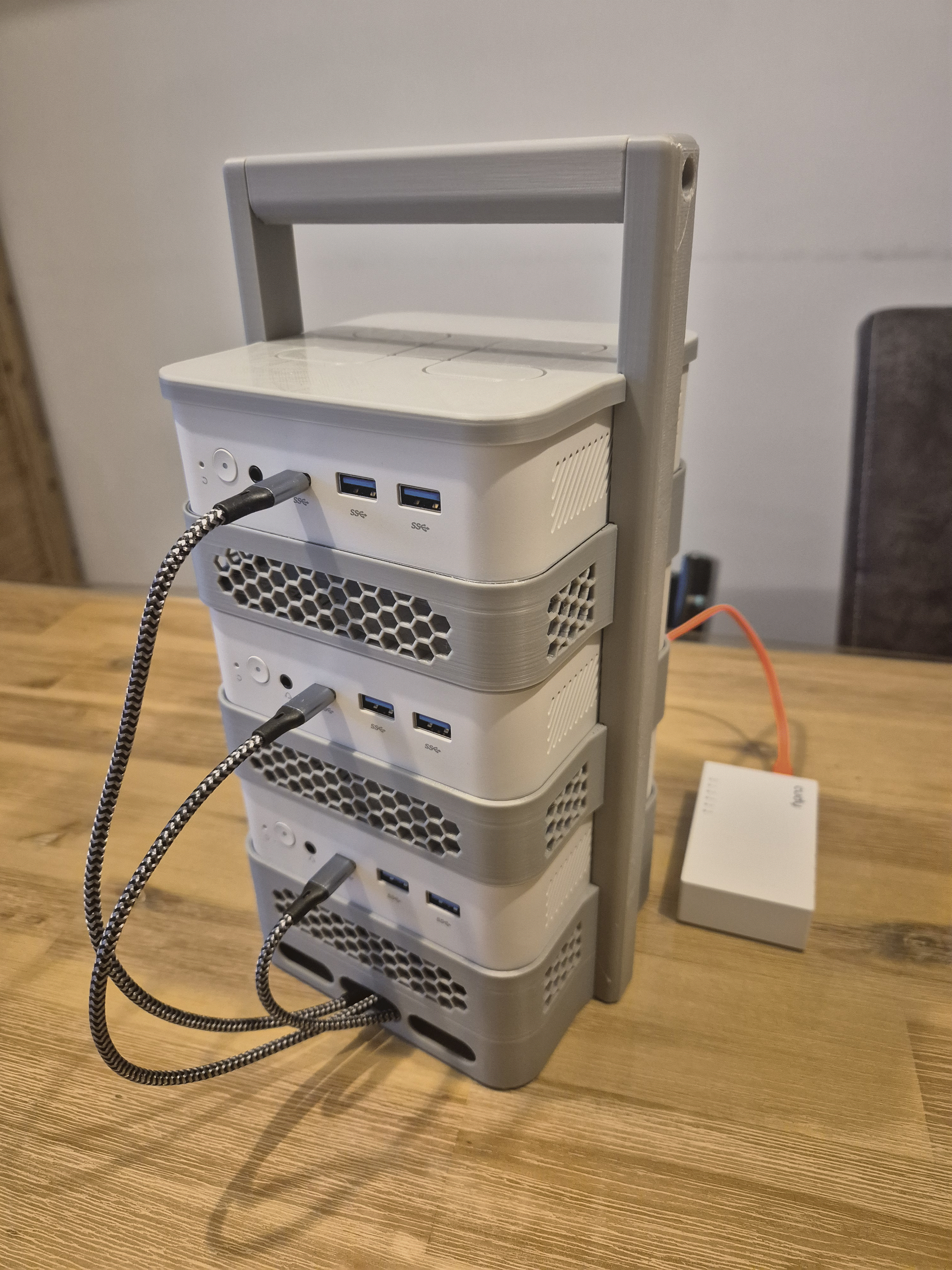
The rack holding the three machines was designed and 3D printed by a colleague — nothing like it existed off the shelf, and since I had no 3D printing experience myself, the help was much appreciated. You can grab the model on Thingiverse.
Why Hugo + Azure Static Web Apps? #
I wanted something:
- Fast — no server, no database, just static files on a CDN
- Automated — push to git, site updates. No manual deploys
- Secure — no backend attack surface, HTTPS out of the box
Hugo fits that perfectly. It’s a static site generator written in Go — single binary, no Node.js dependency hell, builds in milliseconds. Azure Static Web Apps has a free tier that integrates directly with GitHub: every push to main triggers a build and deploy automatically via GitHub Actions.
The Setup #
The stack is simple:
- Hugo — static site generator with the Congo theme
- GitHub — source of truth, version control
- Azure Static Web Apps — free hosting, global CDN, automatic HTTPS, CI/CD via GitHub Actions
The deploy token lives in GitHub Secrets — never in the repository. The public/ build output is never committed either; Azure builds it fresh on every deploy.
Getting Started #
Want to do the same? Here’s the short path from zero to a live blog:
- Install Hugo — follow the official guide, then
hugo new site my-blog && git init - Add a theme — I used Congo as a git submodule. Set
theme = "congo"inhugo.tomland runhugo serverto preview locally athttp://localhost:1313 - Push to GitHub — create a repo and push your code
- Create an Azure Static Web App — in the Azure Portal, link it to your GitHub repo. Azure automatically commits a
.github/workflows/deploy.ymlto your repo and wires up the CI/CD pipeline - Check your secrets — Azure adds the deploy token to GitHub Secrets automatically. Verify it’s there under Settings → Secrets and variables → Actions. Never hardcode it
- Add a
.gitignore— excludepublic/,resources/_gen/, and.hugo_build.lockso build output never gets committed
From here, every push to main builds and deploys automatically. Your site will be live within a minute or two.
Custom Domain + DNS #
With the site running on Azure I wanted it on a proper domain, not the default azurestaticapps.net URL. I registered ricardojacobs.nl through TransIP — the go-to registrar for .nl domains in the Netherlands.
The DNS problem #
The first instinct was to manage DNS at TransIP directly. Azure Static Web Apps needs two things for a custom domain:
- An
ALIASrecord at the apex (@) pointing to the Azure hostname - A
CNAMEforwww
TransIP supports ALIAS records, but it rejected Azure’s hostname format with a validation error. After some digging, the cleaner solution was to move DNS management to Azure DNS — keeping everything in one place and using Azure’s native ALIAS support for Static Web Apps.
Setting up Azure DNS #
- Create a DNS Zone resource in Azure for your domain
- Azure provides 4 nameservers — update these at your registrar under Nameservers
- For
.nldomains this goes through the SIDN registry, so allow up to an hour for propagation
Once the nameservers propagate, add the following records in the Azure DNS Zone:
| Type | Name | Value |
|---|---|---|
A (Alias) | @ | → Azure Static Web App resource |
CNAME | www | your-app.azurestaticapps.net |
The A record with alias mode points directly to the Static Web App resource — Azure resolves the IP internally and handles changes automatically. No hardcoded IP addresses.
Adding the custom domain in Azure #
With DNS in Azure, go to Static Web App → Custom domains → + Add, choose Custom domain on Azure DNS, and Azure handles the ownership validation automatically. It then provisions a free SSL certificate via DigiCert — no manual certificate management needed, auto-renewed.
The whole domain + HTTPS setup took about an hour, most of which was waiting for the .nl nameserver delegation to propagate.
What’s Next #
This blog is step one of a longer journey. Here’s what I’m planning to document:
- Talos Linux — immutable, API-driven OS for Kubernetes, installed via PXE boot
- Kubernetes cluster — setting up a three-node cluster on bare metal NUCs
- OpenBao — secret management (open-source fork of HashiCorp Vault)
- Keycloak — SSO for all self-hosted services
- Immich — self-hosted Google Photos alternative
- Observability — metrics, logs, traces — the whole stack
If any of that sounds interesting, stick around. This is going to get hands-on quickly.
The homelab is the main thread, but this blog won’t be strictly limited to it. If something interesting comes up — AWS, Azure, a tool worth writing about — I’ll post about that too.